
Privacy & Security
How to Generate a Strong Password (and What Makes One Strong)
 Dhananjay Kumar Nirala 9 min read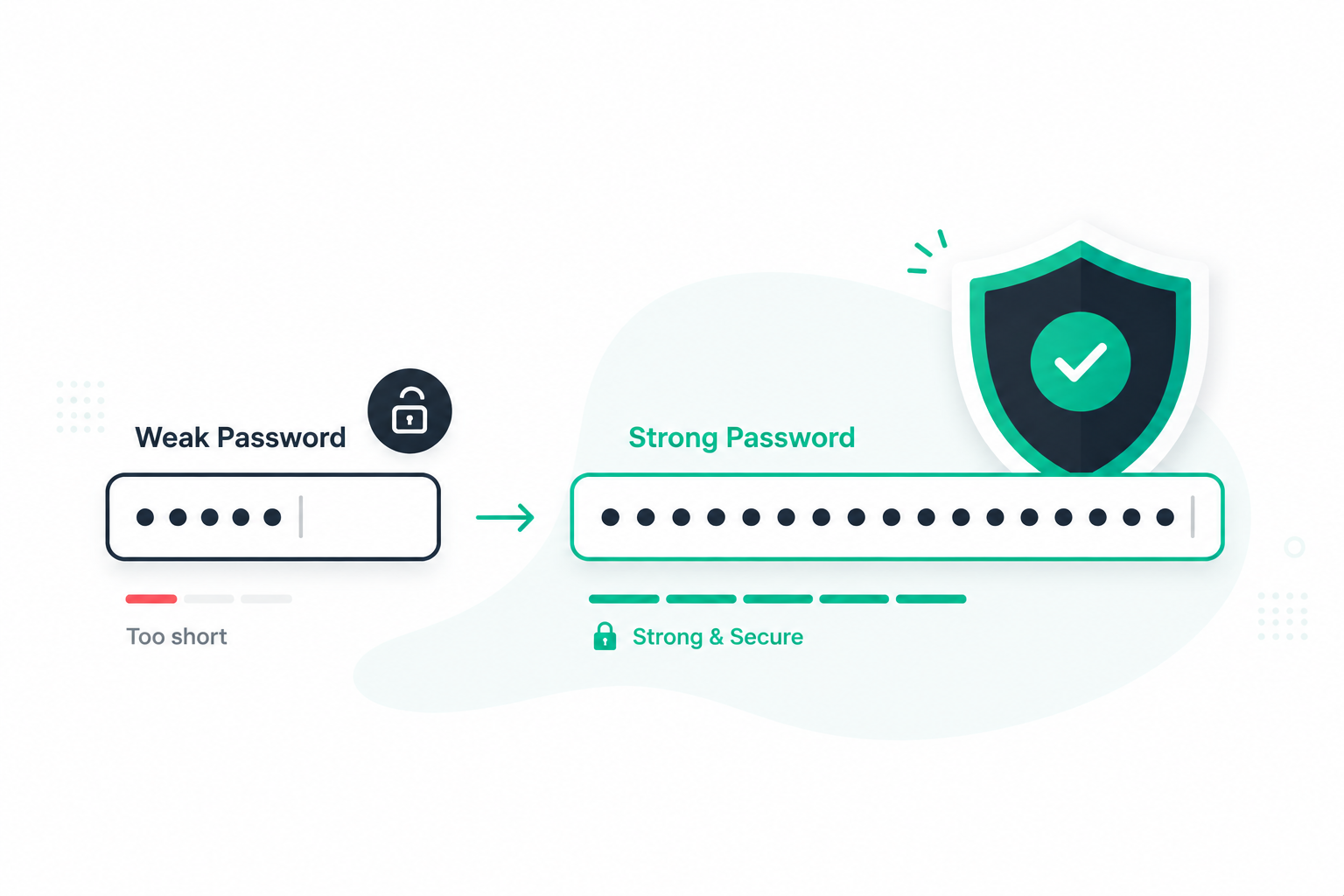
On this page 0%
Learning how to generate a strong password used to mean memorizing something like Tr0ub4dor&3. That advice is out of date. Today the rules are simpler, and they lean almost entirely on one thing: length.
A strong password is long, unpredictable, and used on only one account. That's the whole idea. The old habit of swapping an a for a @ or bolting a 1! onto the end barely slows an attacker down, because the software that cracks passwords already knows every one of those tricks.
What actually works is either a long string of random characters, or a passphrase made of several unrelated words. Below you'll see why length matters more than anything else, and the quickest way to produce a password you can trust.
What makes a password strong?
A strong password comes down to three plain qualities: it's long, it's hard to predict, and it's used nowhere else. Miss any one of those and the password gets weak, no matter how clever it looks.
Length is the big one. Every extra character multiplies the number of guesses an attacker has to make, so a 16-character password is astronomically harder to crack than an 8-character one, even if the short one is packed with symbols. More on why in the next section.
Unpredictability matters just as much as length. A long password built from a common phrase, a name, or a keyboard pattern like qwerty12345 is easy to guess, because cracking tools try dictionary words, leaked passwords, and keyboard runs first. Real randomness, or a mix of words that don't belong together, is what keeps a password out of that net.
Uniqueness is the part people skip. Reusing one "strong" password across accounts means a single breach hands attackers the keys to all of them. This trick is called credential stuffing, and it's one of the most common ways accounts get taken over. Every account needs its own password.
Get those three right and you're already ahead of most people online. The rest of this guide is about doing it with the least effort.
Why length beats complexity
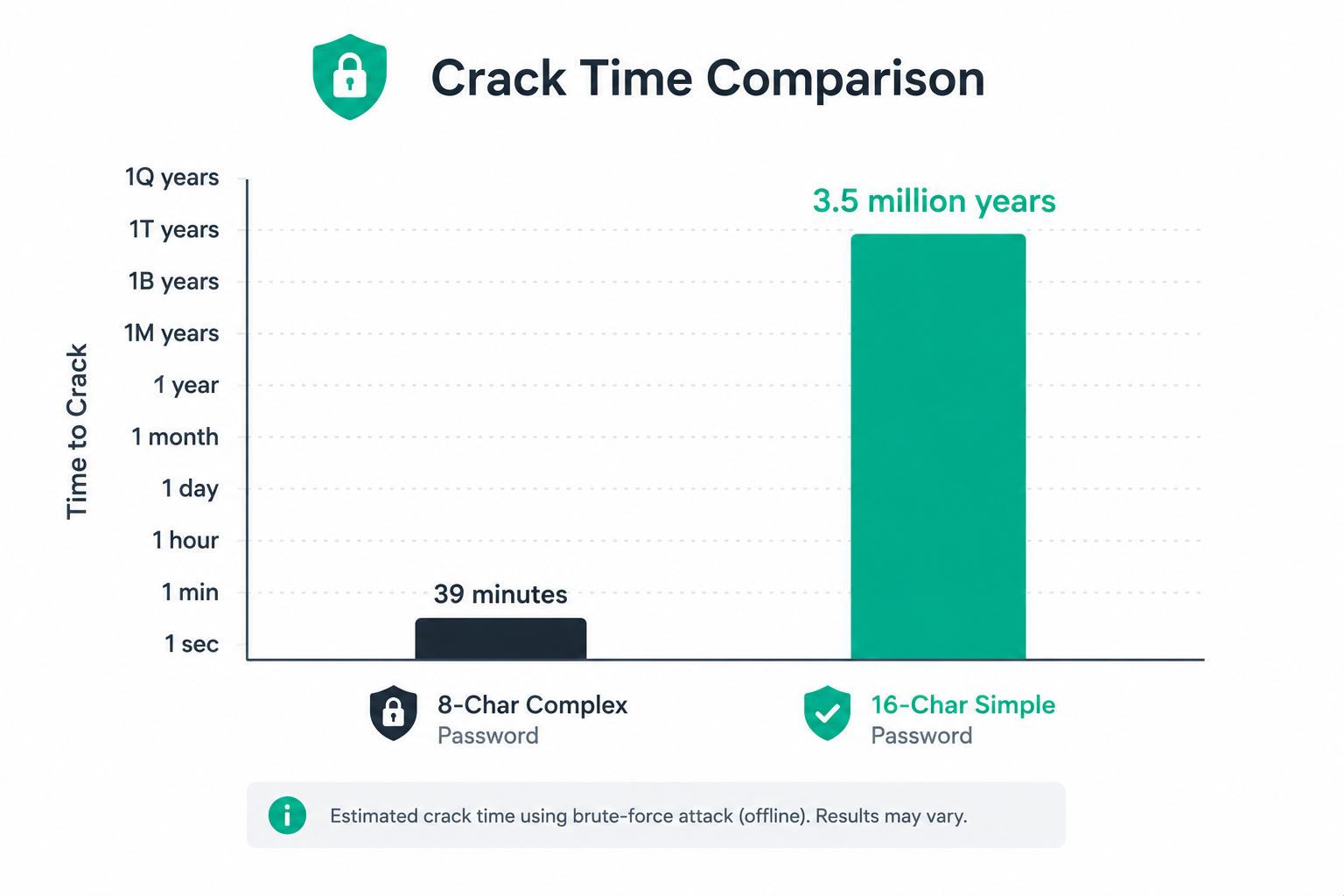
For years the standard advice was to make passwords complex: throw in a capital, a number, a symbol, and call it secure. Security researchers have since shown that length does far more work than any of those tricks.
Here's the reason. Password crackers work by guessing, and the number of possible passwords grows exponentially with each character you add. Add one more character and you multiply the guesses needed, not just add to them. That's why a plain 16-character password beats a gnarly 8-character one every time. One study put it simply: a single extra character of real length is worth about three "clever" substitutions.
This is also why swapping letters for symbols does so little. Turning password into p@ssw0rd feels safer, but cracking software expands those substitutions automatically. It costs the attacker almost nothing and buys you almost no protection.
The people who write the rules have caught up to this. The US standards body NIST now recommends a minimum of 15 characters for a strong password and, notably, tells organizations to drop the old requirements for forced symbols and regular password changes. Those rules pushed people toward short, predictable passwords they'd reuse, which made things worse, not better.
The takeaway is short: stop counting symbols and start counting characters. A longer password is a stronger password.
Passphrases: strong and easy to remember
If a 16-character random password sounds impossible to remember, there's a friendlier option that's just as strong: the passphrase. Instead of one dense string, you string together several unrelated words into something long but memorable.
Take correct horse battery staple. It's 28 characters, which makes it very hard to crack, yet it's easy to picture and recall. Compare that to Tr0ub4dor&3, which is shorter, painful to remember, and actually weaker. Length plus a bit of randomness beats complexity again.
The trick is that the words have to be unrelated and unexpected. A line from a famous song or a common saying doesn't count, because attackers feed those into their tools too. Pick words that have no business sitting next to each other, like velvet cactus ledger monsoon. The stranger the combination, the harder it is to guess.
NIST treats these multi-word passphrases as a preferred kind of password, precisely because length drives strength more efficiently than symbols do, and phrases are easy to remember without writing them down. For a memorized passphrase, aim for at least four or five words. For something important like your email or your password manager, use six.
If coming up with unrelated words on the spot is hard, that's exactly the kind of thing a generator does well, which is the next section.
Mistakes that make a password weak
Most weak passwords fail for the same handful of reasons. If you avoid these, you've dodged the ways accounts actually get broken into.
Personal info. Birthdays, kids' or pets' names, your street, your favorite team. Anything someone could find on your social media is a starting point for a guesser, not a secret.
Keyboard patterns and sequences. qwerty, 123456, abc123, and asdfgh show up at the top of every leaked-password list. They feel random when you type them, but they're among the first things any cracking tool tries.
Simple substitutions. As covered earlier, p@$$w0rd isn't meaningfully stronger than password. Swapping letters for lookalike symbols is a pattern the software already expects.
Reusing passwords. Using the same login on several sites means one leak exposes them all. This is worth repeating because it's the single most damaging habit, and a password manager exists specifically to fix it.
Too short. Even a random password is weak if it's only six or eight characters. Modern hardware chews through short passwords in seconds, so length isn't optional.
One more that catches people out: don't build a password around a single common word with numbers tacked on, like Summer2026!. It fits many "complexity" rules, yet it's exactly the pattern attackers guess first.
How to generate a strong password
Knowing the rules is one thing. Actually producing a long, random password on the spot is another, because humans are bad at being random. This is where a generator earns its place.
You have two good routes, depending on whether you need to memorize the password or not.
For accounts you won't memorize (most of them), generate a long random string and let a password manager remember it. Aim for 20 or more characters mixing letter cases, numbers, and symbols. You'll never type it by hand, so length and messiness cost you nothing.
For the few you must memorize (your email, your password manager's master password), generate a passphrase of five or six unrelated words. It's long enough to be safe and structured enough to stick in your head.
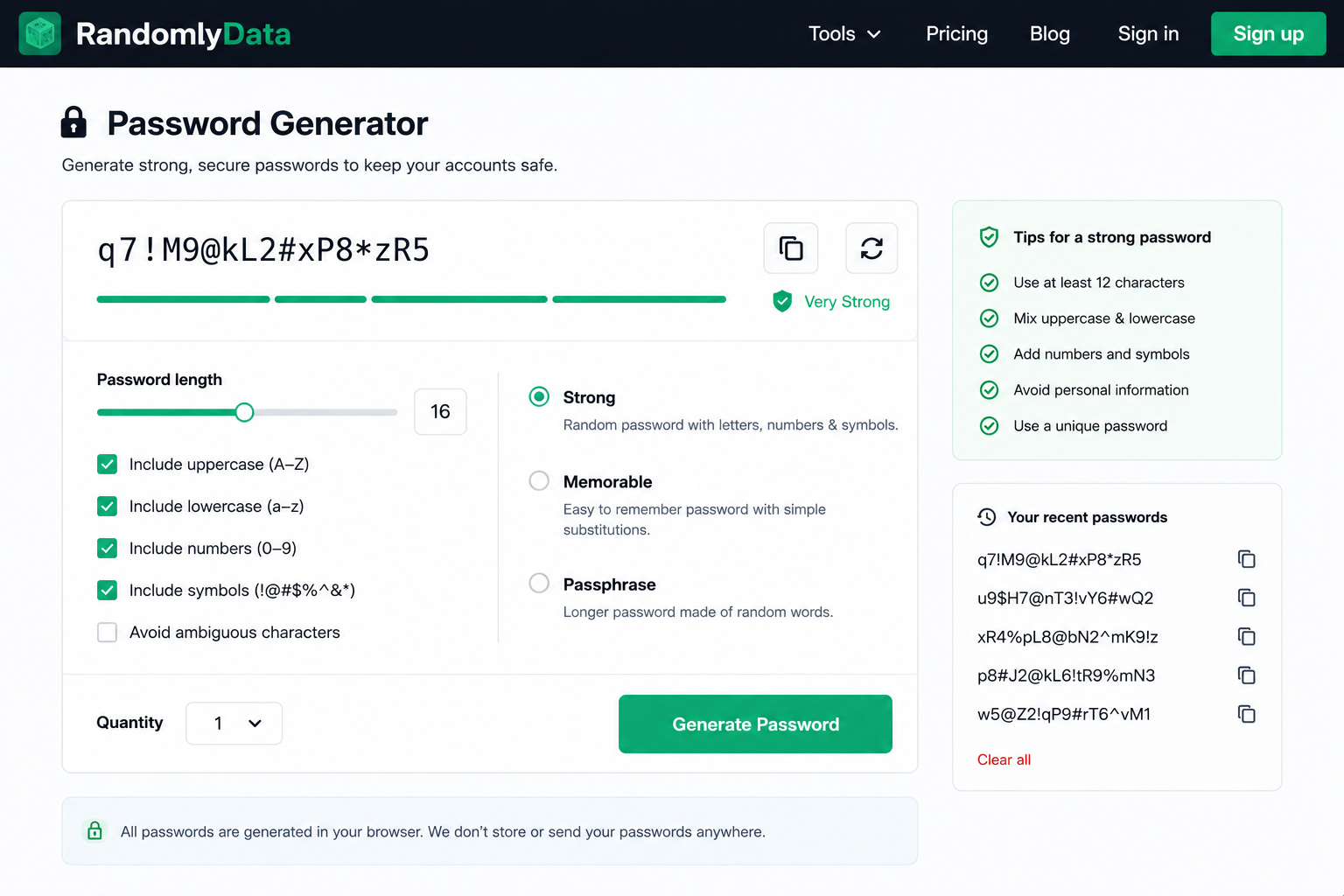
The password generator on this site does both. Here's the quick version:
Open the tool and choose a style: strong (random characters), memorable, or passphrase.
Set the length or word count. For random passwords, push it to 20+; for passphrases, five or six words.
Toggle which character types to include if you're going random.
Generate, then copy it straight into your password manager.
Everything is created locally in your browser, so the password isn't sent over the network before you've even used it. Once it's generated, paste it into your manager and you're done.
Store passwords safely
Generating strong passwords only helps if you can keep track of them without falling back into bad habits. The answer isn't a notebook or a file called passwords.txt. It's a password manager.
A password manager creates a long, random password for every account and stores them all behind one master password. You remember exactly one strong passphrase, and the app fills in the rest. It solves the two hardest problems at once: passwords are finally unique per site, and they can be as long and messy as you like because you never type them yourself. NIST openly recommends using one.
Well-known options include Bitwarden, which has a solid free tier, along with 1Password and others. Any reputable manager is a massive step up from reusing a handful of passwords from memory.
Two more habits round this out:
Turn on two-factor authentication (2FA) wherever it's offered. Even if a password leaks, that second step stops most attackers from getting in. It's the single best backup for a password.
Check whether your passwords have leaked. Sites like Have I Been Pwned tell you if an account of yours turned up in a known breach. If one did, change that password right away, and change it anywhere you reused it.
Do these and a strong password stays strong long after you create it.
Make length your default
A strong password isn't about cramming in symbols anymore. It's about length, unpredictability, and never reusing the same one twice. Get those right and you've beaten almost every common attack.
For accounts you don't need to memorize, generate a long random password of 20 or more characters and let a password manager hold it. For the handful you do memorize, use a passphrase of five or six unrelated words. Back both up with two-factor authentication, and check now and then whether any of your logins have leaked.
None of this takes long. Generate a strong one in a few seconds with the password generator, drop it into your manager, and move on. Your future self, the one who never gets an account hijacked, will thank you.
Frequently asked questions
What makes a password strong?
Length, unpredictability, and being used on only one account. A long random string or a multi-word passphrase, unique to each site, is what counts. Symbols and capitals help far less than most people think.
How long should a password be?
Aim for at least 15 characters, and 20 or more for anything important. NIST now uses 15 as its recommended minimum for a strong password. If you're memorizing a passphrase instead, use five or six words.
Is a passphrase safer than a password?
A passphrase of several unrelated words is both strong and easy to remember, so it's often the better choice for logins you can't store in a manager. What matters is total length and that the words aren't a known phrase.
Are password managers safe?
Yes, and security experts including NIST recommend them. A reputable manager encrypts everything behind your master password, and the risk of using one is far smaller than the risk of reusing weak passwords everywhere.
How often should I change my password?
Not on a schedule. NIST dropped the old forced-rotation advice because it pushed people toward weak, predictable passwords. Change a password only if it's weak, reused, or turns up in a breach.
What's the most common password mistake?
Reusing the same password across sites. One leaked account then exposes the rest through credential stuffing. A unique password per account, stored in a manager, fixes it.