
Identifiers
MAC addresses and OUI prefixes for network tests
On this page 0%
A MAC address is 48 bits that we print as six octets. People treat it like a serial number etched by God. It is not. Half of it might name a vendor. The other half is a device id that anyone can override in software. I generate MACs for lab fixtures with the MAC address generator so I stop copying the sticker on my own dongle into a screenshot.
This post is EUI-48, the two bits in the first octet that people ignore, locally administered addresses, multicast versus unicast, and why a “Cisco-looking” prefix is a costume, not a license to join a real network.
EUI-48 in plain hex
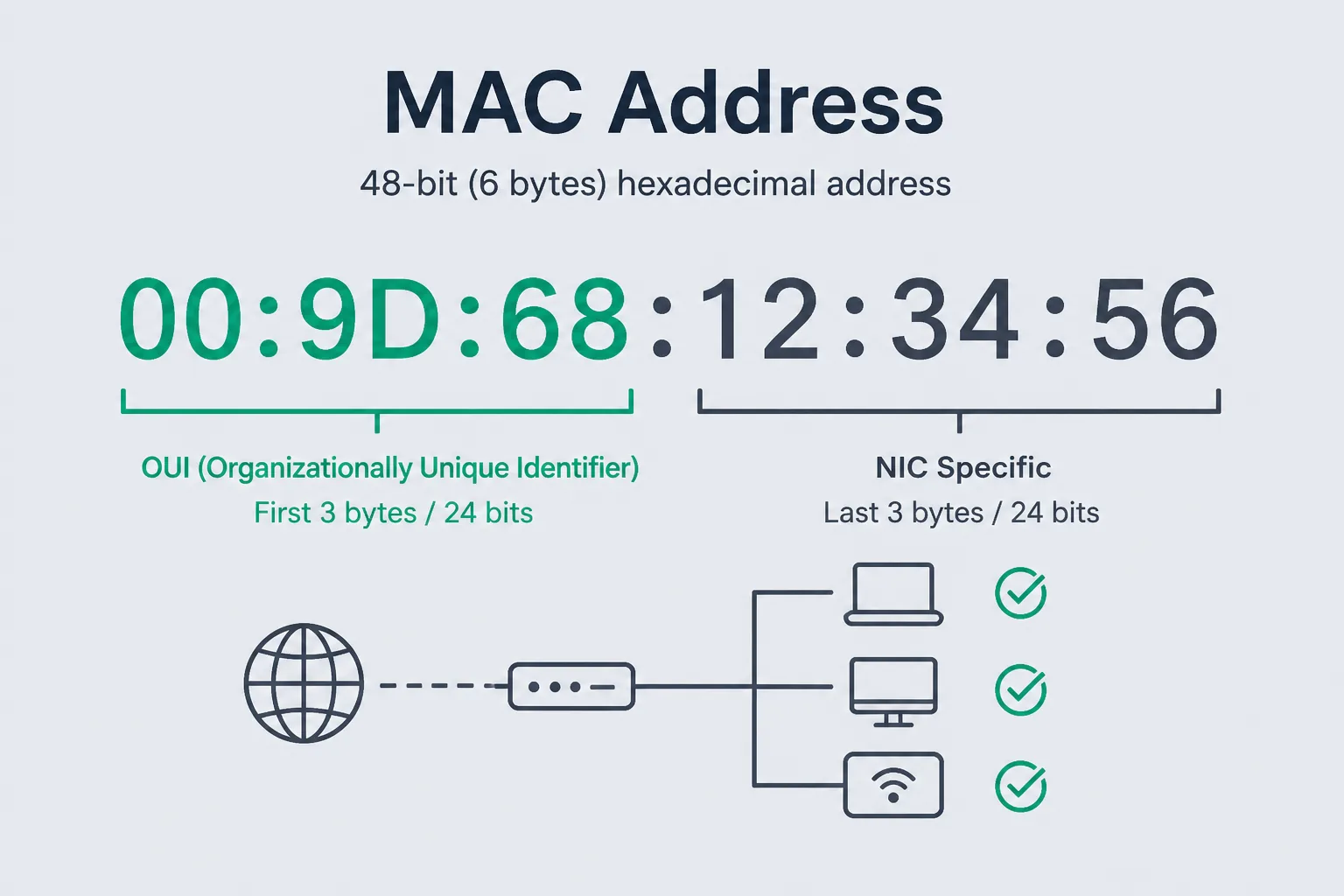
IEEE EUI-48 is the modern name for what most of us still call a MAC-48. Six bytes. Common print forms: 00:1A:2B:3C:4D:5E, 00-1A-2B-3C-4D-5E, or Cisco’s dotted 001a.2b3c.4d5e. Same bits. Normalize before you compare. I have duplicated rows in a spreadsheet because one NIC used colons and the inventory tool used hyphens.
The first 24 bits are often an OUI, an organizationally unique identifier assigned to a vendor. The remaining 24 bits are the device portion, assigned by that vendor. That story is the textbook. Reality includes locally administered addresses that ignore the vendor plot, randomized MACs on phones, and virtual machines that mint a new address on boot.
64-bit EUI-64 shows up in IPv6 interface ids. Different width. Do not feed a 48-bit generator into an IPv6 SLAAC lecture and expect the bits to line up. This post stays on 48.
The two bits everyone skips
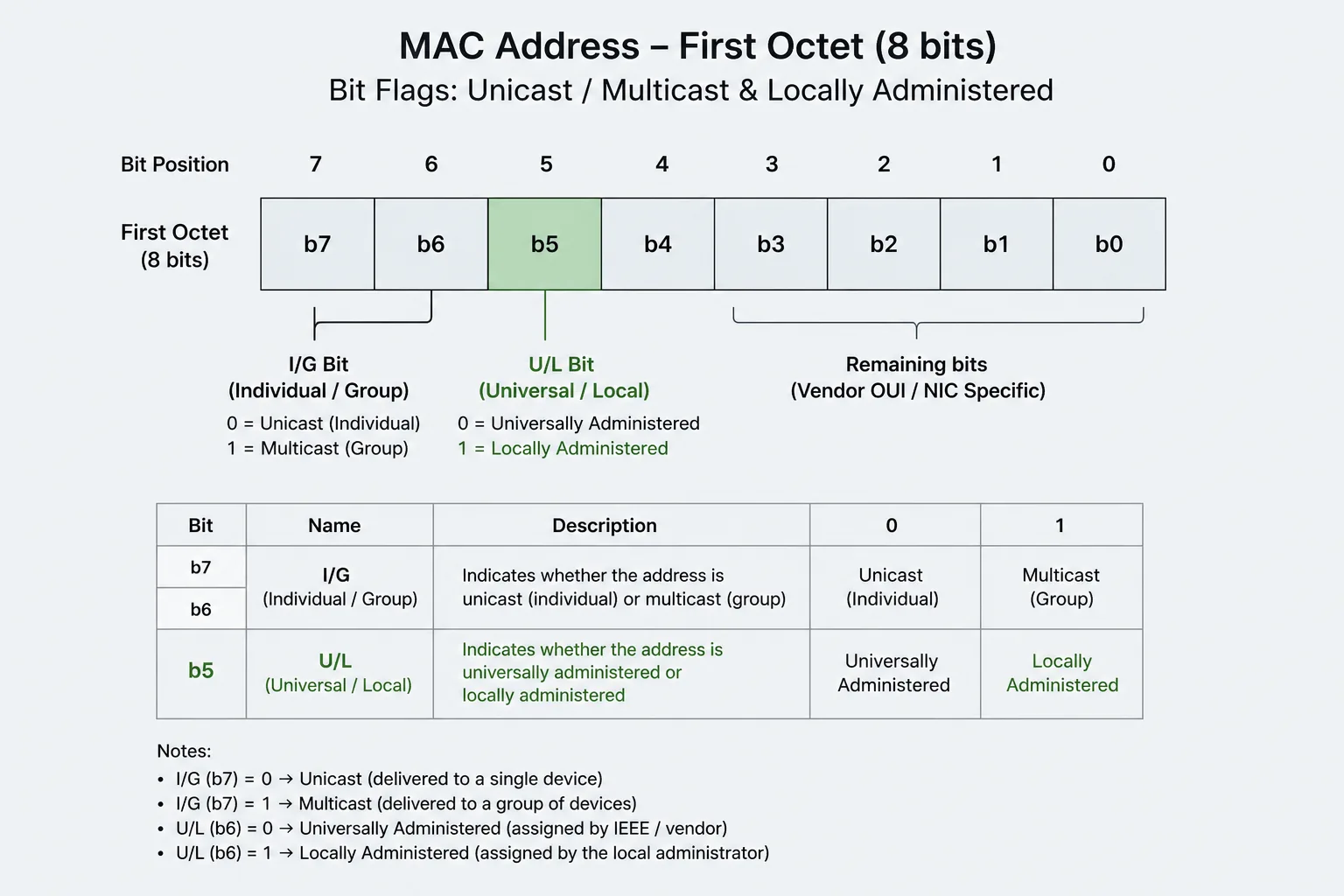
In the first octet, the least significant bit is the I/G bit: individual versus group. 0 means unicast (a single adapter). 1 means multicast (a group). If you generate a “device MAC” with that bit set, some stacks will treat it as a multicast address and your bridge lab will get weird. I force unicast unless the UI says multicast on purpose.
The second-least significant bit is U/L: universal versus local. 0 means globally unique (the OUI story). 1 means locally administered. When you pick a MAC in a hypervisor checkbox, you should set the local bit. That is the honest signal that this address was not burned in at a factory. Phones that randomize Wi-Fi MACs set local too. If your generator stamps a real vendor OUI and leaves U/L at 0, you are impersonating a manufacturer’s global space. Fine in an air-gapped simulator. Rude on a campus network.
Bit order trips people because we write hex left to right and the IEEE talks about bits in the transmitted first octet with a specific significance. I keep a test vector: a locally administered unicast address has the first octet looking like x2, x6, xA, or xE in the common “second hex nibble is even-ish” mnemonic people memorize. I still verify with a bitmask, not a rhyme.
Vendor OUI as costume
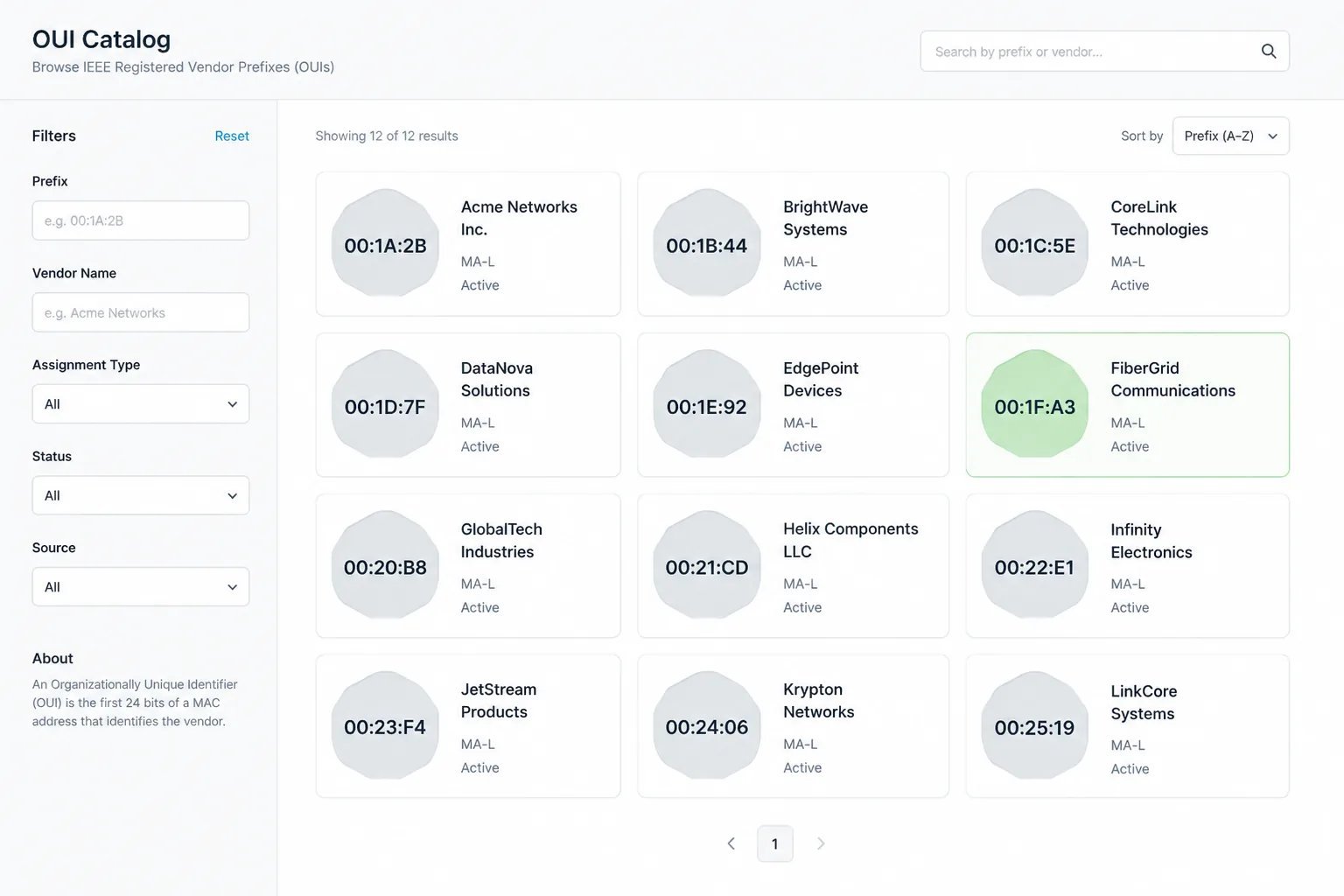
Using a published OUI makes a packet capture look “real.” That can help a doc screenshot. It can also collide with a physical NIC on the same LAN if you were sloppy. I prefer locally administered random octets for anything that might hit a shared switch. If I need a vendor-shaped prefix for a parser test (“does our inventory recognize this OUI table”), I use a documented test OUI or I set the local bit and keep the rest random.
OUI tables go stale. Companies buy companies. A lookup that says “this is 3Com” is a history lesson. Do not block traffic on a dusty OUI map. Do not call it security.
Multicast OUIs and IPv4-mapped multicast MACs are a different toy. If you are not building IGMP labs, do not emit them from a generic “random MAC” button. The generator should default to unicast local.
Randomized MACs on phones
Operating systems randomize Wi-Fi MACs to make tracking harder. That feature exists because a stable MAC is a cookie. If your analytics still keys users on MAC, you are living in 2009. For test data, a randomized local MAC is more realistic for a “phone on guest Wi-Fi” fixture than a burned-in Dell prefix.
Do not treat a MAC as identity in a database the way you would a UUID. People clone adapters. People typo. People rotate. If you need a stable id, mint a UUID. If you need a network address, generate a MAC and label it as such.
How I generate them
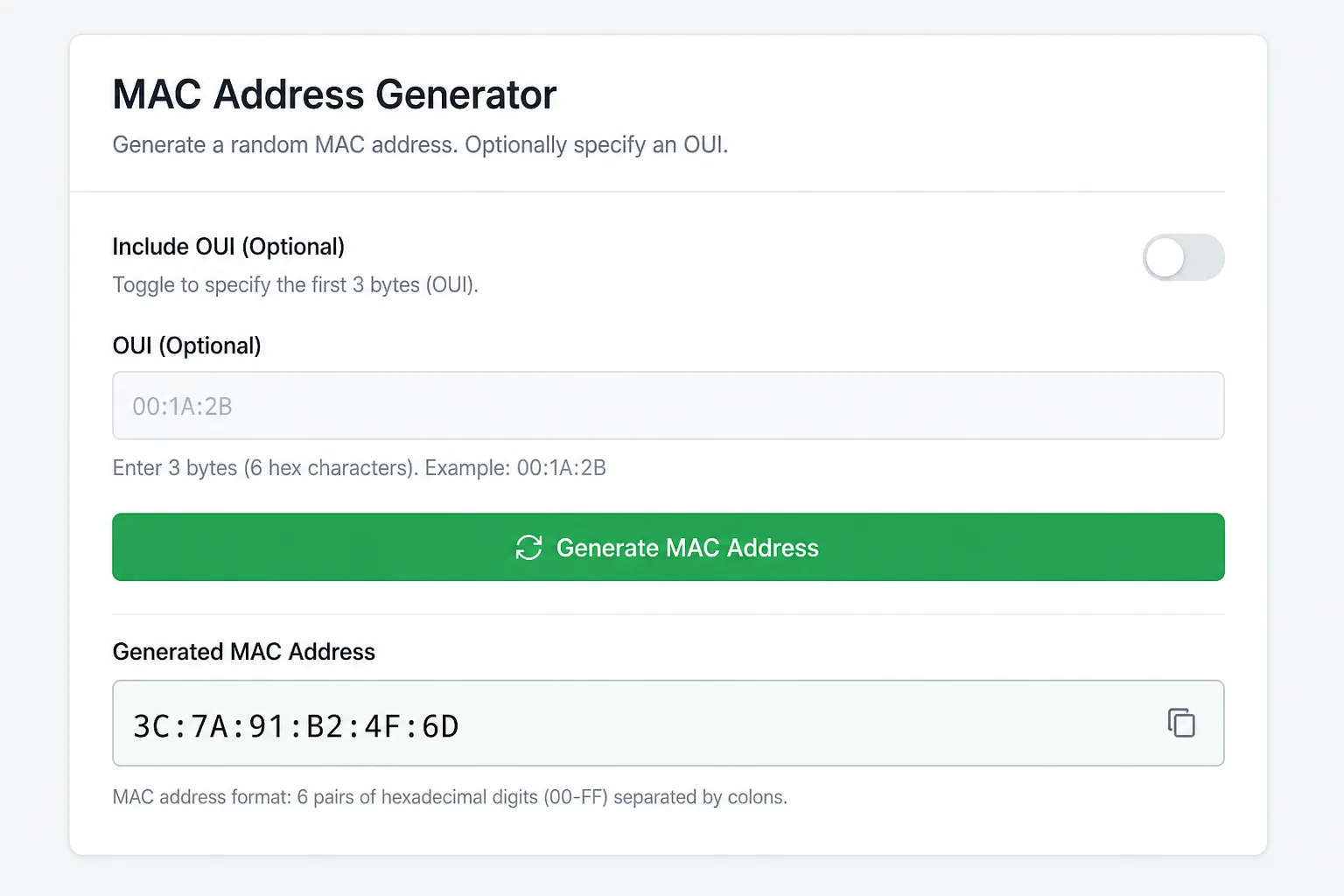
Fill 6 bytes from crypto.getRandomValues. Mask the I/G bit clear for unicast. Set the U/L bit for local. Print in the colon form unless the user asked for Cisco dots. Same CSPRNG story as dice and tokens. See fair dice if you care why I do not use Math.random() for bits that might leak into a lab that people take seriously.
I reject the all-zero and all-ones addresses. All-ones is broadcast. All-zero is “I forgot to set this.” Both show up in captures. Neither should be your VM’s idea of a NIC.
Parsers and storage
Store 12 hex digits or 6 bytes, not mixed punctuation. Display however the operator likes. Case-insensitive compare. If you index MACs as text, pick lowercase. I have failed a unique constraint because Postgres saw AA and aa as different in a non-citext column. Lowercase on write.
Do not use a MAC as a filename. Do not use a MAC as a password. I have seen both. One is an identification leak in backups. The other is a short keyspace with a vendor prefix sitting on top like a welcome mat.
What the generator is for
Docker compose files, qemu scripts, docs, and unit tests that assert a parser accepts several formats. Not for spoofing a campus AP. Not for cloning a neighbor’s NIC. If your use case is “look like vendor X on a production floor,” stop and use assigned hardware.
Related identifiers on this site stay in their lanes: SSN is a US tax-shaped string, not a NIC. IBAN is a bank shape. A MAC is a link-layer address. The only shared rule is do not paste the live one into a public gist.
Lab notes I keep
In qemu and Docker, a fixed MAC is handy so DHCP leases stay put across reboots. Put that MAC in compose files, not in a screenshot of production. If two containers share a MAC on one bridge, you get a mystery that looks like flaky DNS. Generate a unique local unicast per service. Write it next to the service name. I keep a tiny table in the README of the lab repo: service, MAC, intended network. When a capture shows an address not in the table, I know someone clicked “random” in a GUI and did not tell git.
Wi-Fi labs are meaner because phones randomize. If you are teaching association, say out loud that the laptop MAC tonight may not be the laptop MAC tomorrow. For a static IoT fixture, local bit on, written down, never copied from a vendor sticker on a colleague’s dock.
OUI lookup as a debugging hint is fine. OUI lookup as access control is not. I have seen NAC policies that only allowed “known vendors” and then blocked a legitimate USB NIC from a brand that bought a block last month. Update the table or stop pretending the table is a firewall.
Frequently asked questions
Is a locally administered MAC unique?
Unique enough if you randomize 46 remaining bits in a small lab. On a huge overlay, collisions are still unlikely, but uniqueness is not guaranteed the way a coordinated OUI assignment tries to be. Put a unique constraint on anyway if the column must be unique.
Should I set the local bit when I use a vendor OUI?
If you did not get that address from the vendor’s allocation, yes. You are local. Be honest in the bits.
Why did my multicast MAC break DHCP?
Because you set I/G and the stack treated the address as a group. Clear that bit for a normal host NIC.
Does Randomly store generated MACs?
No. The page runs locally. Privacy covers what we do collect, which is not your lab addresses.