
Generators
Passwords vs passphrases: entropy you can still type
On this page 0%
I used to tell people to “just use a long passphrase” as if length were a moral virtue. Then I watched a teammate type CorrectHorseBatteryStaple into a shared staging login, with the capitals in the XKCD places, and I realized we had turned a comic into a dictionary. Length helped. Predictable English did not. A password is not a slogan. It is a secret sampled from a space you can actually describe.
This is the version of that argument I want next to the password generator. I will talk about entropy in bits, Diceware-style phrases versus random charset strings, why the browser’s CSPRNG matters, and the cases where a passphrase quietly fails. I still use both shapes. I do not pretend they are interchangeable.
Entropy is a model, not a vibe
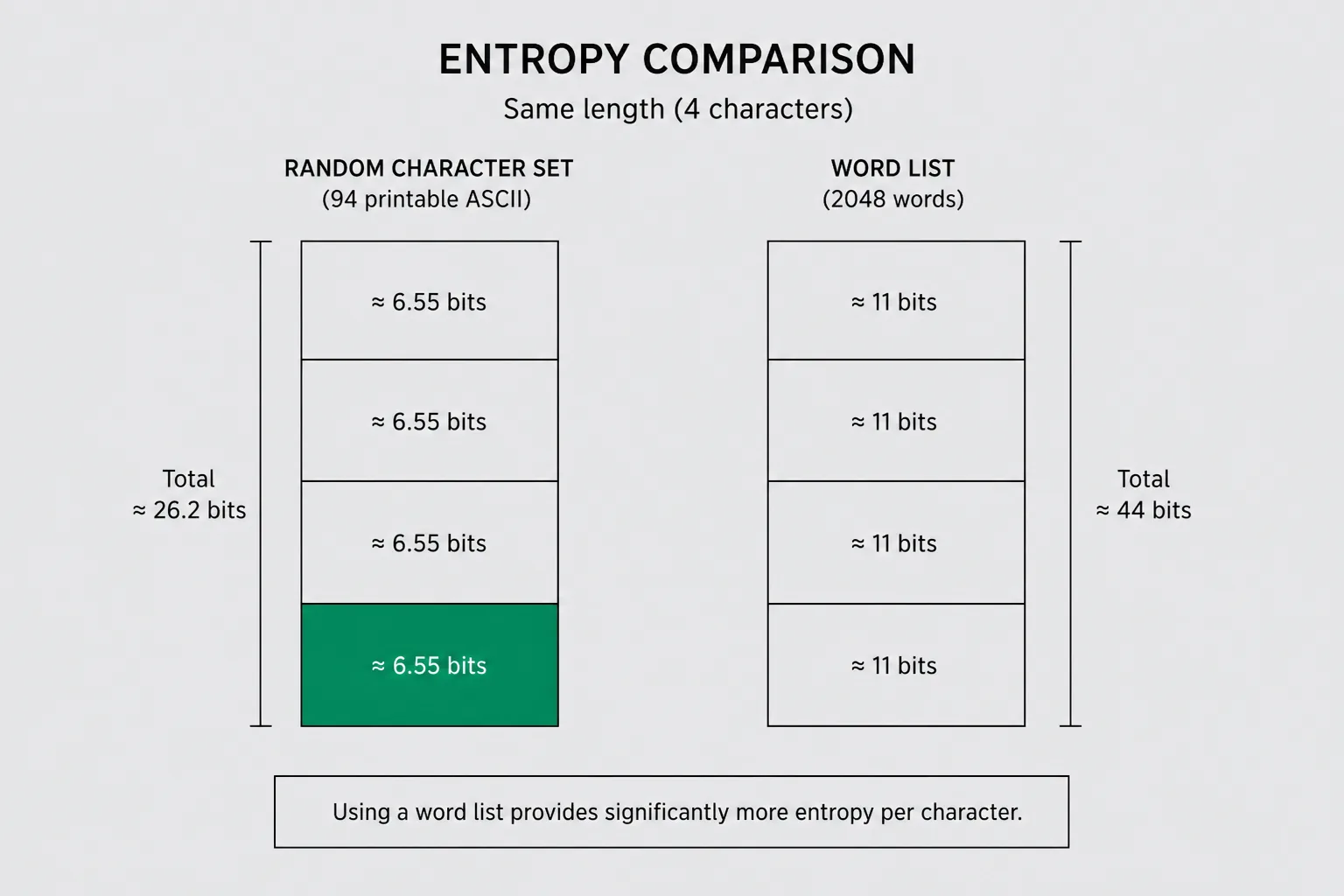
Entropy here means: if an attacker knows how you generate secrets, how many guesses do they need in the worst honest case? You measure that in bits. One bit doubles the search. Ten bits is about a thousand. Twenty is about a million. Forty is a lot for online guessing with lockouts. Eighty is the neighborhood people quote for offline hashing if the KDF is slow. The number is only as honest as the model.
A human picking “random” letters is a bad model. We reuse sports teams, kids’ names, keyboard walks, and the year we joined the company. A generator that draws from crypto.getRandomValues is a better model. You can count the alphabet size and the length and multiply. Log2 of (alphabet^length) is the formula people mean. For a 12-character password from 72 symbols (upper, lower, digits, a punct set), you get a bit over 74 bits if every character is independent. That “if” is the whole essay.
Passphrases look friendlier because you can type them. Four words from a 7776-word Diceware list is about 51 bits if the words are independent draws. Six words is about 77 bits. That is the comic, done with a real word list, not with the four most famous words on the internet. If your “passphrase” is a sentence you invented, the model collapses. Grammar is a compressor. Attackers know grammar.
I still see security questionnaires that demand “one uppercase, one number, one symbol” and cap length at 16. Those rules fight passphrases and they do not add bits to a random string that was already using a full charset. They do force people to append 1!. I treat composition rules as compatibility with old Active Directory, not as strength.
Random charset strings
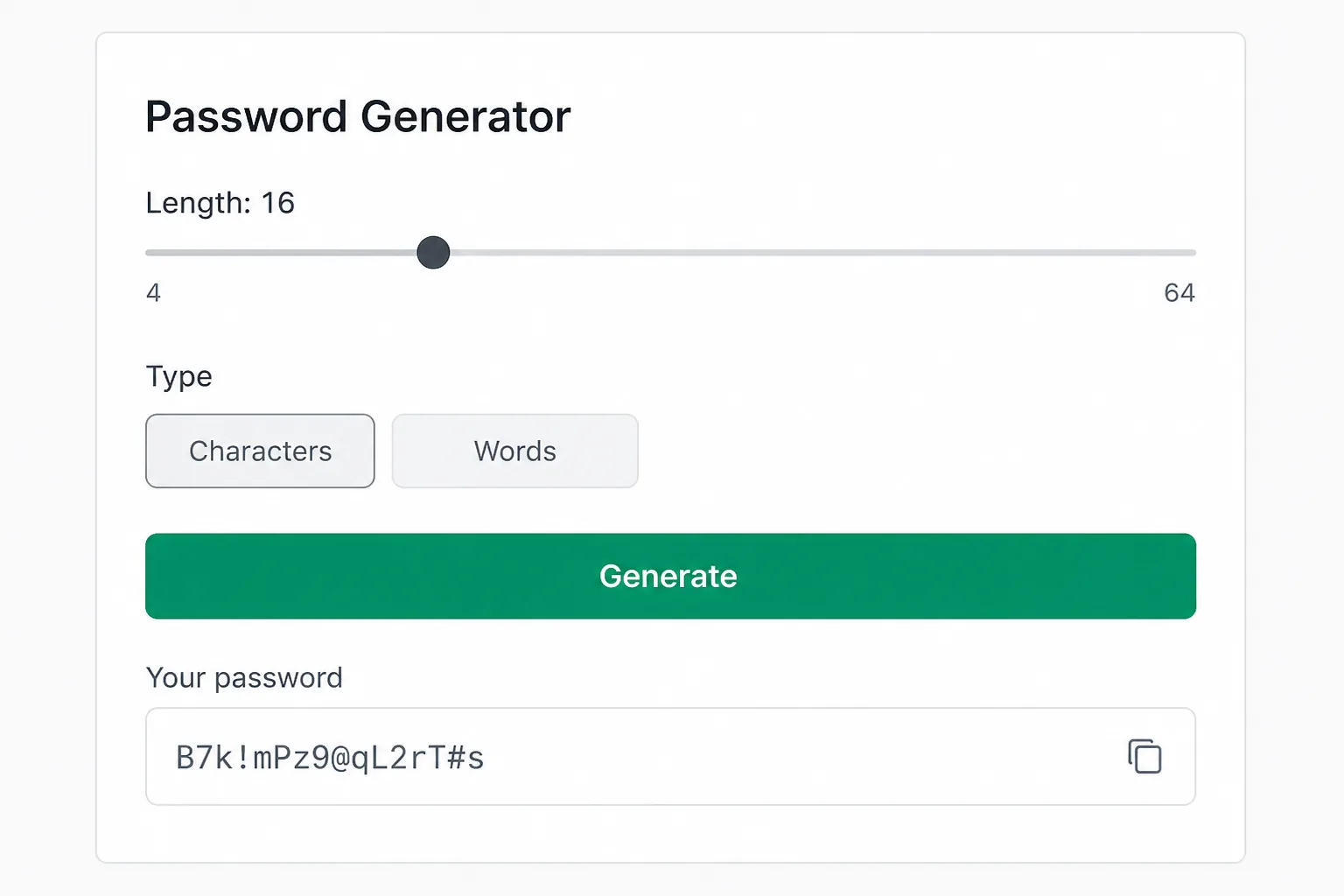
This is what most password generators emit: a string from a declared alphabet. Ours lets you toggle groups. The important part is uniform sampling. If you reject characters that look confusing (0 and O) after sampling, you shrank the alphabet. That is fine if you count the smaller alphabet. It is not fine if you advertise 72 symbols and then quietly drop ten of them.
I generate charset passwords for machine accounts, API basic auth in local docker-compose files, and any field that will be pasted, not memorized. Humans will mistype xK9#mQ2$pL8!. Password managers will not. If the secret lives in 1Password or Bitwarden, length is cheap. I would rather have 20 random characters than 12 “memorable” ones.
Browser generation should use the Web Crypto CSPRNG. Math.random() is a leftover from animations. It is not a secret sampler. I have reviewed a “secure password” snippet that mapped Math.random() onto a charset and then hashed the result with MD5 “for extra security.” Hashing a weak sample does not create entropy. It paints the same small set a different color. Do not launder a password through a hash and call the hex the password unless you meant to store a derived key, which you probably did not.
Another trap: generating in a spreadsheet with RANDBETWEEN. Spreadsheet RNGs are not crypto. Neither is “mash the keyboard.” Mashing has rhythm. I can see it in leaked dumps. The same three rows of keys, over and over.
Diceware-style phrases
Diceware is a procedure: roll dice, look up a word, repeat. The security is in the list size and the independent draws, not in the English. Electronic versions replace dice with a CSPRNG and an index into the same list. That is valid if the index is uniform. It is invalid if you pick “words I like.”
I use passphrases when a human must type the secret on a TV, a friend’s laptop, or a console that will not paste. Wi-Fi for a workshop. A disk encryption recovery that someone might read aloud. Places where 8f#Q will be written on a sticky note with the wrong symbol.
Word lists matter. A list of 2048 words is 11 bits per word. A list of 7776 is about 12.9. A list of the 1000 most common English words is about 10, and those words are also in every cracking dictionary. Do not invent a list from your industry jargon. “KubernetesPipelineRollback” is one idea, not four words.
Separators are a taste. Spaces are easy to say and annoying in forms that trim. Hyphens are visible. I pick one separator and stick to it for a given system. Changing separators does not add a meaningful amount of entropy unless the attacker does not know the scheme. Assume they know the scheme. Kerckhoffs still applies to your Wi-Fi poster.
Capitalizing the first letter of each word is a compatibility hack for “must include uppercase.” It adds almost nothing if the rule is public. Adding a digit at the end is the same hack. If a site forces it, fine. Do not count those as extra bits in a threat model where the attacker has the password policy. They always have the password policy. It is in the signup error message.
When passphrases fail
Short dictionary phrases fail first. Two common words. Three pop-culture words. Quotes. Song lyrics. The cracking community has been assembling those lists for twenty years. “Four words” is not a spell if the words are not drawn from a large list.
Reuse fails next. A great passphrase on every site is still one breach away from a spray. I treat passphrases like passwords: unique per account, stored in a manager, typed only when the manager cannot help.
Sites that truncate silently fail both shapes. I have seen banks take 32 characters and store 8. A long passphrase and a long random string die the same death. If you cannot test the login after a paste of 40 characters, you do not know what they stored. That is a vendor problem. Your generator cannot fix their column width.
Offline hashes fail passphrases that were never that high in bits. If someone dumps bcrypt of your forum and your phrase was three English words, the attacker is not brute-forcing 72^12. They are running wordlist rules. Charset strings of decent length lose to that attack class less often, which is why I still default to charset for anything that might be hashed with a fast scheme. If you control the KDF, use a slow one. If you do not, assume they used something embarrassing.
People also fail at transcription. A passphrase with 1 versus l versus I is a support ticket. Drop lookalikes from charset passwords when a human will read them. Keep them when a manager stores them. That is a UX choice, not a crypto one, and it costs bits. Pay the cost on purpose.
What I generate in the browser
The password generator runs locally. I want that for the same reason I want local UUIDs: I do not need a third party to see a staging secret. See privacy for what the site actually logs (page views, not the string you copied).
I generate a batch when I am writing docker-compose examples for a post. I do not reuse those strings in production. Test secrets leak into screenshots. Rotate them. The same hygiene as PII-safe test data: fixtures are disposable.
If I need an opaque token that is not a “password” in a human field, I generate a random string with no version nibble. If I need an identifier, I use the UUID generator, usually v4, because a UUID is not a password and I do not want version bits in a secret I will later truncate. I wrote about that split in UUID v4 versus v7.
A practical default
Password manager available: 20+ characters, mixed charset, unique per site. Let the manager type it. Do not look at it.
Human must type it: six Diceware words from a real list, or five if the list is large and the threat is online-only. Write it on paper for recovery if the system is a disk, then put the paper in a place that is not your monitor bezel.
Shared family Wi-Fi: passphrase, because guests will type it. Rotate when a guest relationship ends. Yes, that sounds fussy. So is explaining why the neighbor is on your printer.
CI secrets: charset, long, injected as environment variables, never committed. If it showed up in a gist, it is burned. Generate a new one. Do not “change a character.”
I do not use passphrases for encryption keys I will never type. There is no benefit. The key should be random bytes, encoded if you must display them. Encoding is not strength. Base64 is a display trick, not a lock.
“Memorize a scheme” passwords (first letters of a sentence, site name stuffed in the middle) were a 2005 coping strategy. They produce lookalike secrets across sites. A manager plus a generator is the scheme. Your brain is for the one vault password, a long phrase you practiced, drawn from a list, not from a movie quote.
Frequently asked questions
Are passphrases always stronger than passwords?
No. Six random Diceware words beat an 8-character human password. Four famous words lose to a 16-character random charset string. Count the sample space you actually used.
Is a browser generator safe?
If it uses crypto.getRandomValues and does not send the result anywhere, it is a reasonable way to sample. The page you are on should not be a random extension you just installed. Ours is a static tool. Still, a password manager’s generator is the thing I use day to day.
How many bits do I need?
For online logins with lockouts, more than people think they need and less than the internet argument. For offline dumps, more. I would rather overshoot with a manager than sit in a bits debate while reusing Summer2024!.
Should I hash the generated password before storing it in my app?
Store passwords with a password KDF (Argon2, scrypt, bcrypt with a sane cost). Do not store SHA-256 of a password as if that were enough. Generating the secret and hashing it for storage are different steps. The generator only does the first.