
Test Data
How to Make Realistic Test Data for Forms
 Dhananjay Kumar Nirala 7 min read
On this page 0%
Good test data for forms is the stuff that behaves like real user input without being anyone's real information. When you're testing a signup page, a checkout, or any form, you need names, emails, addresses, and card numbers that look and validate like the real thing, so your form is exercised properly before actual users show up.
The trap is reaching for real data to do it. Copying production records or using your own details into a test database is risky and, in many places, against privacy rules. A leak from a test environment is still a leak. Fake-but-realistic data gives you the same coverage with none of that exposure.
There's a second trap too: data that's fake but sloppy. If your test emails don't have a valid shape or your card numbers fail validation, your form rejects them before you've tested anything useful. This guide walks through making test data that passes your own checks while staying completely fictional.
Why not just use real data?
It's tempting to grab a slice of production data for testing. It's realistic by definition, and it's right there. But it carries risks that rarely feel worth it once something goes wrong.
Privacy and legal exposure. Real names, emails, addresses, and payment details are personal data. Copying them into a test environment spreads that data to places with weaker protection, which can breach rules like GDPR or CCPA. Regulators don't treat "it was only for testing" as an excuse.
Test environments leak. Staging servers, shared databases, and developer laptops are softer targets than production. A lot of breaches trace back to an organization's own internal systems, and a test database full of real customer records is exactly the kind of thing that shouldn't be sitting there.
It's often unnecessary. Most of what you're testing is structure and behavior: does the form accept a valid email, reject a bad one, handle a long name, store the record correctly. Fictional data that matches the right formats covers all of that without touching a single real person's details.
The safer default is to generate data that looks real, validates like real, but belongs to no one. You get honest test coverage and nothing sensitive to protect.
What makes test data realistic
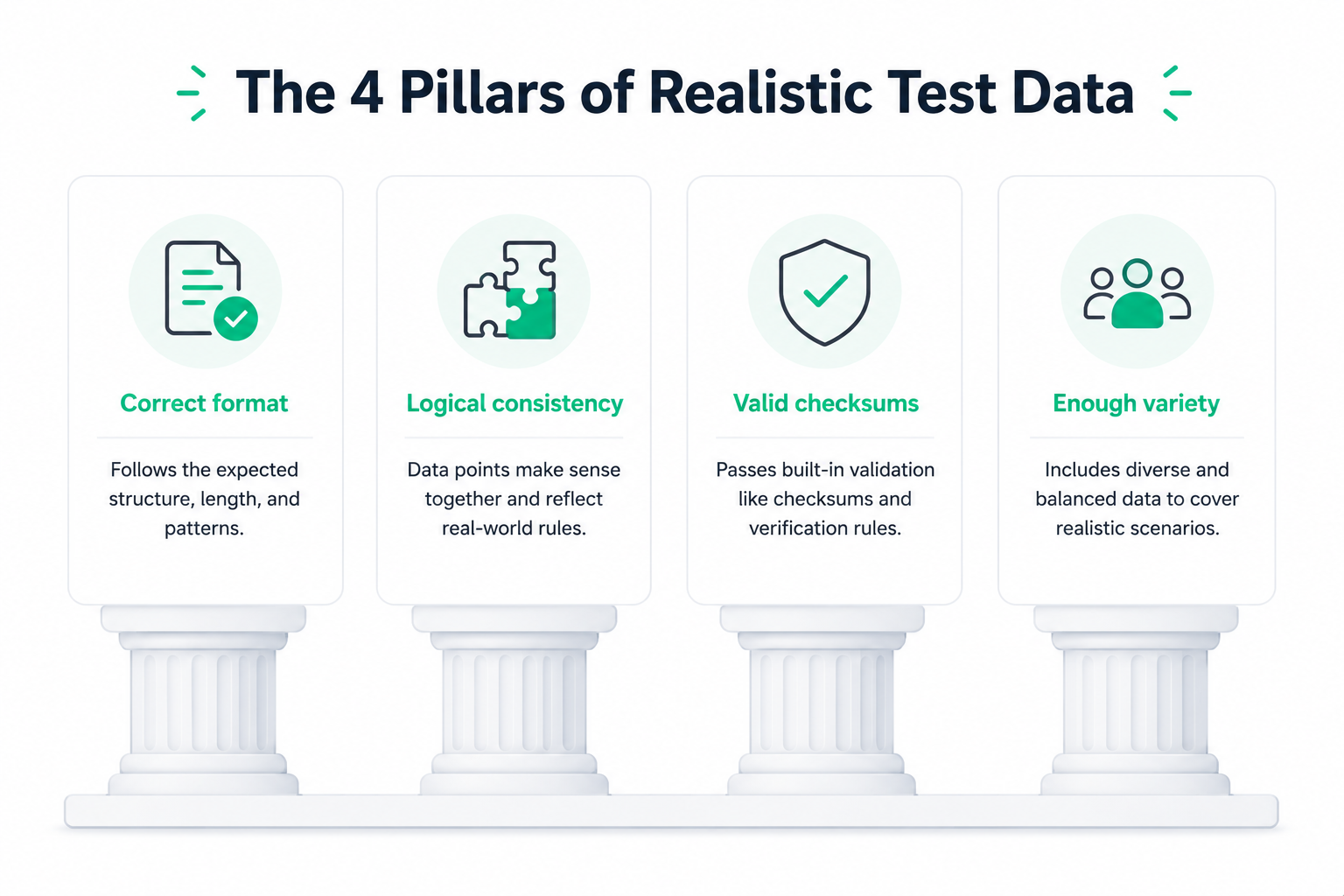
Realistic doesn't mean fancy. It means the data behaves the way real input would when it hits your form and your database. A few qualities separate useful test data from junk.
Correct format. Each value should match the shape your form expects. Emails need a proper user@domain.tld structure, phone numbers need the right length and dialing code, ZIP codes need five digits. If the format is off, your validation rejects it and you learn nothing.
Logical consistency. Related fields have to make sense together. A birthdate should sit before an account-creation date, a card's expiry should be in the future, and a shipping country should match the address. Data that's individually valid but logically impossible can slip bugs past you.
Valid where validation is strict. Some fields are checked by more than a format rule. Card numbers have to pass the Luhn check, and IBANs have to pass a mod-97 check, or a payment and banking flow will reject them up front. Test data for those fields has to be built to satisfy the math, not just look right.
Enough variety. Real users aren't all named "John Smith." Mixing short and long names, different countries, and the occasional accented character or edge-case value exercises your form far better than a hundred identical rows.
Hit those and your fake data does the job of real data, minus the risk.
Generate the core fields
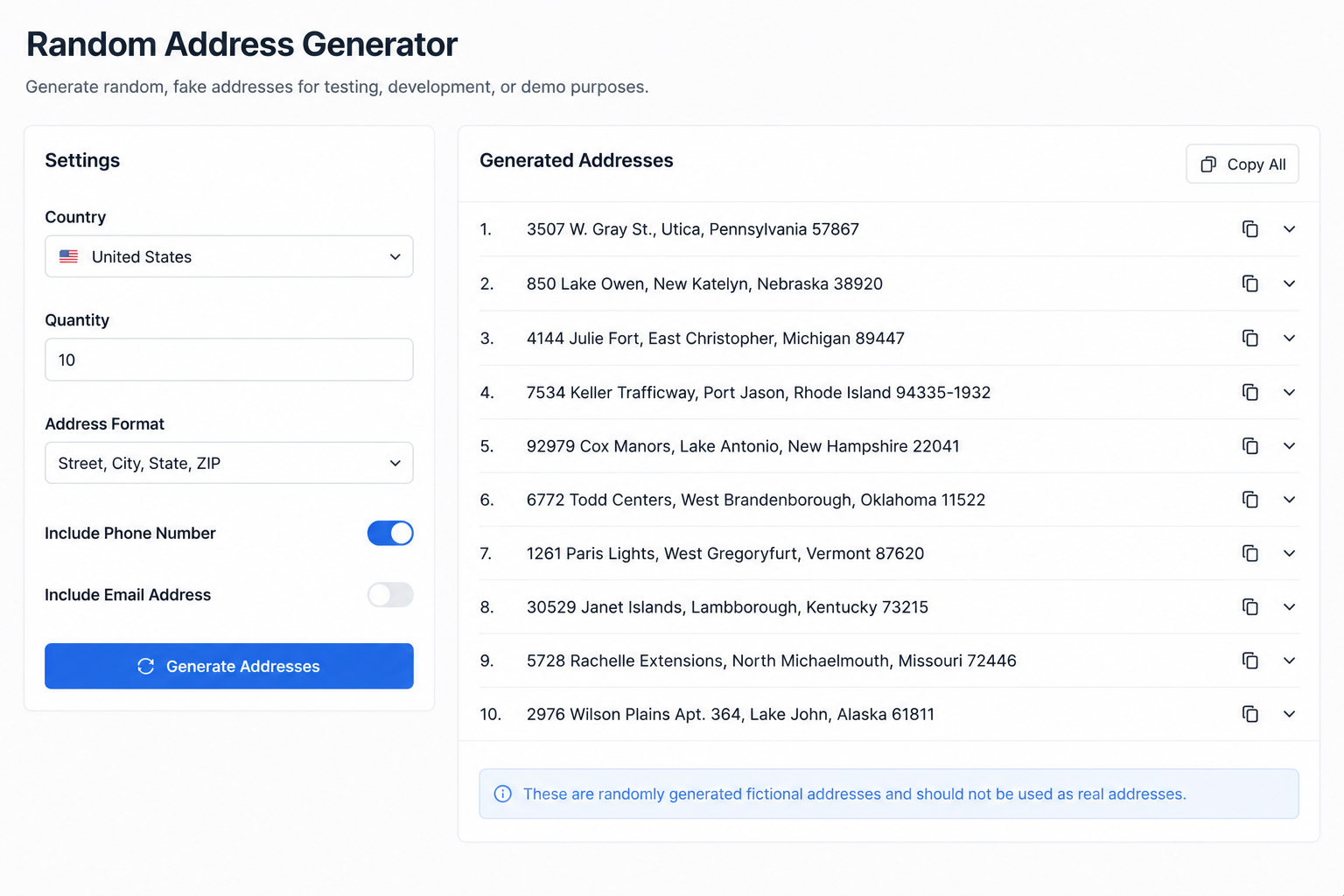
Most forms ask for the same handful of details. Here's how to produce each one so it's realistic and safe, with tools that build the value in the correct format.
Names. Pull a mix of first and last names rather than repeating a placeholder. Varying them catches layout and storage issues that a single name would hide, like a field that's too short for a long surname.
Emails. Use sample email addresses with a valid structure so they pass format validation but don't reach a real inbox. Fictional addresses are important here, since test flows sometimes trigger real emails.
Addresses. Generate fictional US-style addresses for shipping and billing fields. They follow the right street, city, state, and ZIP layout without pointing at a real home.
Phone numbers. A phone number generator gives you format-valid numbers with the correct country code and length, which is what your validation actually checks.
ZIP and postal codes. These need the right digit count and, if your form checks it, a plausible regional range. A dedicated ZIP tool keeps them structurally correct.
Build each field from a tool made for it, and every value lands in the shape your form expects. You can find all of these on the site's tools page when you need to assemble a full record.
Handle financial and ID fields carefully
Payment and identity fields are where sloppy test data fails fastest, because they're validated by more than a format rule. A random string of digits won't cut it.
Card numbers. A checkout form runs every card through the Luhn check before it talks to a payment processor. Test numbers have to satisfy that math or they're rejected instantly. Use Luhn-valid test cards built with real issuer prefixes and a correct check digit, but no account behind them. If you want to understand why they validate, the Luhn algorithm guide breaks it down.
Bank details. IBANs are checked with a mod-97 calculation, so a made-up string almost always fails. Generate format-valid IBANs with proper country templates and check digits when you're testing a banking or payout flow.
National IDs. Numbers like a US SSN follow structural rules but shouldn't ever be real. Use a format-only generator that produces the right shape while skipping reserved ranges, so you're testing structure without handling a genuine ID.
The theme across all three: the number has to be mathematically valid but tied to nothing real. That's exactly what a purpose-built generator gives you, and it keeps your payment and identity tests honest without any live data.
Cover edge cases, not just happy paths
Realistic test data isn't only well-formed data. The values that break forms are usually the awkward ones, so good test data includes them on purpose.
Boundary values. Try the shortest and longest inputs a field allows. A one-character name, a maximum-length address, a password at the exact character limit. Fields often break right at their edges.
Empty and missing fields. Leave required fields blank and submit. Your form should catch it cleanly rather than crash or save a half-empty record. Optional fields should handle being empty too.
Invalid on purpose. Feed in a malformed email, a card number that fails the Luhn check, a letter where a number belongs. You're not just testing that good data is accepted, but that bad data is rejected with a helpful message.
Special characters and international input. Names with apostrophes or accents, addresses with non-Latin characters, phone numbers from different countries. These routinely expose encoding and storage bugs that plain ASCII data never would.
A solid test set is a blend: mostly clean, valid records, plus a deliberate handful of edge cases that push on the limits. The clean data proves the form works, and the awkward data proves it fails gracefully.
Conclusion
Good test data for forms sits in a sweet spot: real enough to exercise your validation and storage, fake enough that no one's privacy is on the line. You get there by generating each field in the right format, keeping related values consistent, making financial and ID fields actually validate, and mixing in edge cases that push on the limits.
The one habit to hold onto is never reaching for production data because it's convenient. A test environment is the wrong place for real personal details, and fictional data that matches the right shapes covers almost everything you need to check anyway.
Build your records from tools made for each field, and you'll have test data that passes your form's own checks, stresses the parts that tend to break, and leaves you nothing sensitive to clean up afterward.
Frequently asked questions
What is test data for forms?
It's fictional input, like names, emails, addresses, and card numbers, used to check that a form validates, stores, and handles data correctly before real users arrive. Good test data matches real formats without being anyone's real information.
Why shouldn't I use real data for testing?
Real personal data in a test environment raises privacy and legal risk, and test systems are easier to breach than production. Fictional data that matches the right formats gives you the same coverage without exposing anyone.
How do I create realistic test data?
Generate each field with a tool built for it so the format is correct, keep related fields logically consistent, make financial fields pass their checks, and include a few edge cases. That mix behaves like real input while staying fake.
Do test card numbers work for real purchases?
No. They're built to pass the Luhn format check for testing only, with no bank account behind them. They let you exercise a checkout flow without touching a live card.
What is synthetic test data?
It's data generated artificially to resemble real data's structure and variety without copying real records. It's the safe way to fill a test database, since none of it maps to an actual person.
How much test data do I need?
Enough to cover your cases, not more. A mix of valid records plus deliberate edge cases usually beats a huge volume of identical rows, because variety is what surfaces bugs.